Print Directory
Create stunning folder listings immediately! Install Directory Lister and take a FREE test drive!
 Download Now
 Compatible with Windows
11/10/8.1/8/7 (Both 32 & 64 Bit)
Create stunning folder listings immediately! Install Directory Lister and take a FREE test drive!
Download Now Compatible with Windows
11/10/8.1/8/7 (Both 32 & 64 Bit)
Provides a text-based list of all your computer files and folders with a complete listing of their contents. It is something you may not do often, but when you need to print a listing of a directory with a lot of files in it, you would rather not manually type the filenames.
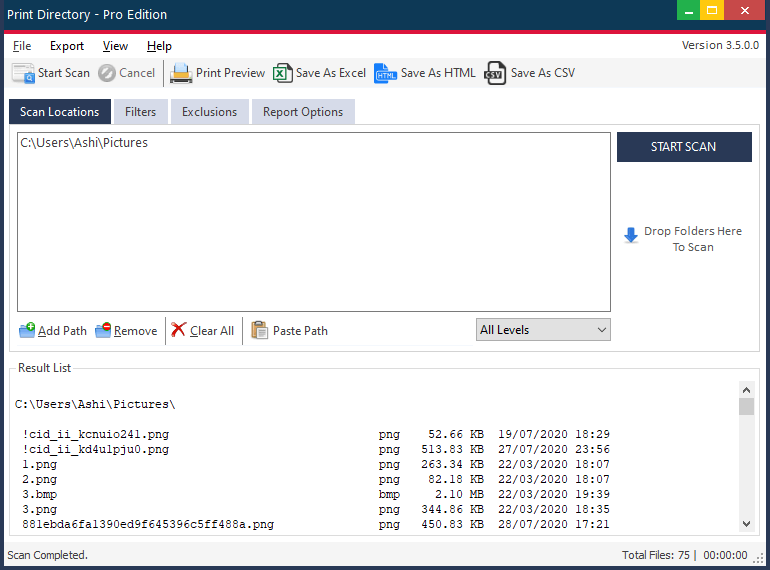
Printing a directory listing is something you may not do often, but when you need to print a listing of a directory with a lot of files in it, you would rather not manually type the filenames.
Print Directory allows you to make list of files in folder windows to create a comprehensive and accurate list of your folders. You can customize the file lists to fit your preferences, and you can list filenames only or include file size, date, time, path, extension, attributes, date and time and MP3 ID3 tags. You can format your output as text, HTML or RTF files.
One especially handy feature of Print Directory is the ability to add an option to the Windows Explorer context menu for directories. This allows you to quickly generate a listing for a directory from within Explorer. To do this, you must run the program as administrator. Right-click on the .exe file and select Run as administrator from the popup menu.